Study with floating windows
Keep PDFs, notes, and video lessons visible while studying or taking notes.
Keep PDFs always on top →Floaty lets you pin videos, notes, browsers, PDFs, Terminal, ChatGPT, Zoom, and any app window above others with one click. Lightweight, local, and built for macOS. See how people use Floaty. Free to use. One-time Pro purchase, no subscription.
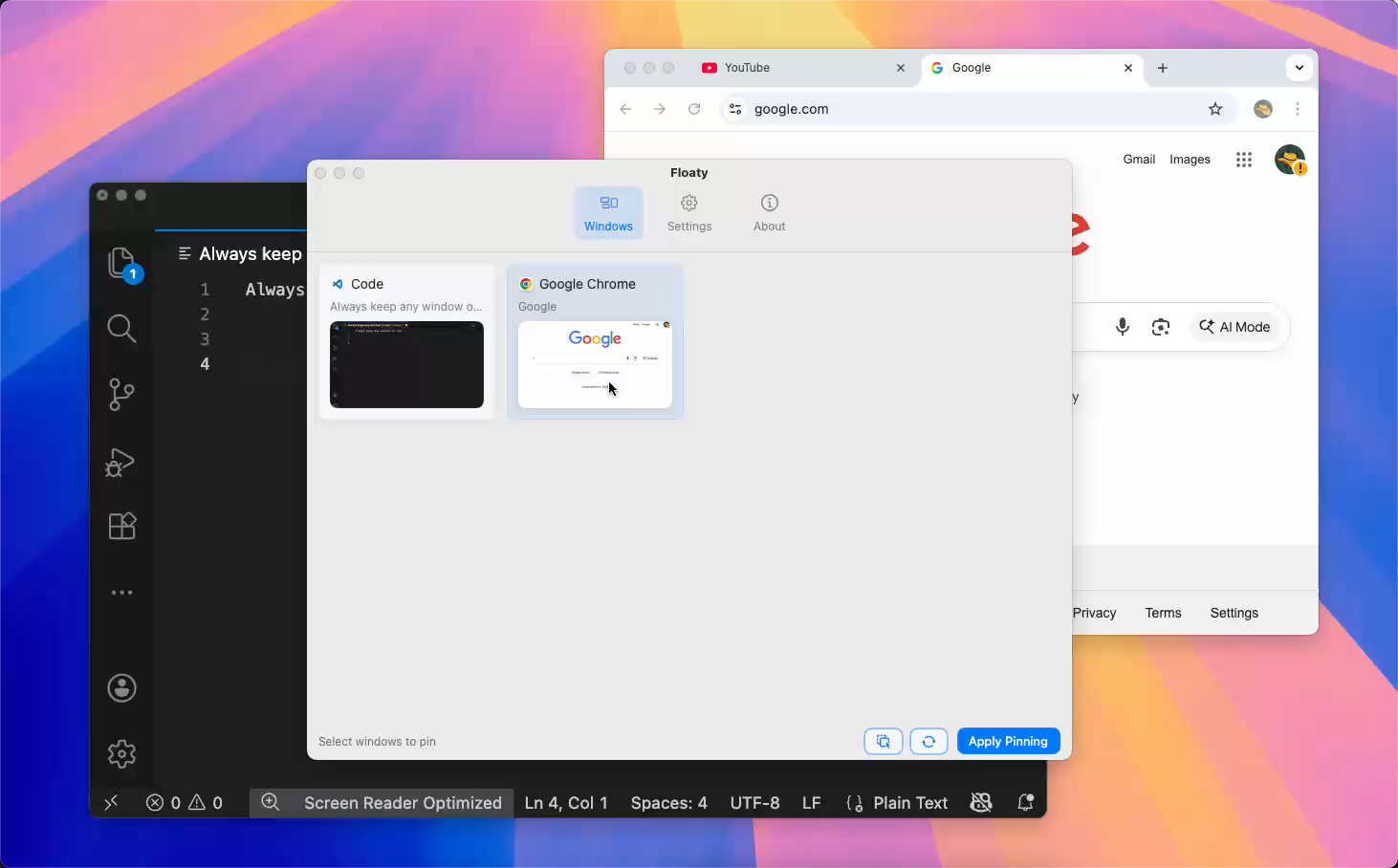
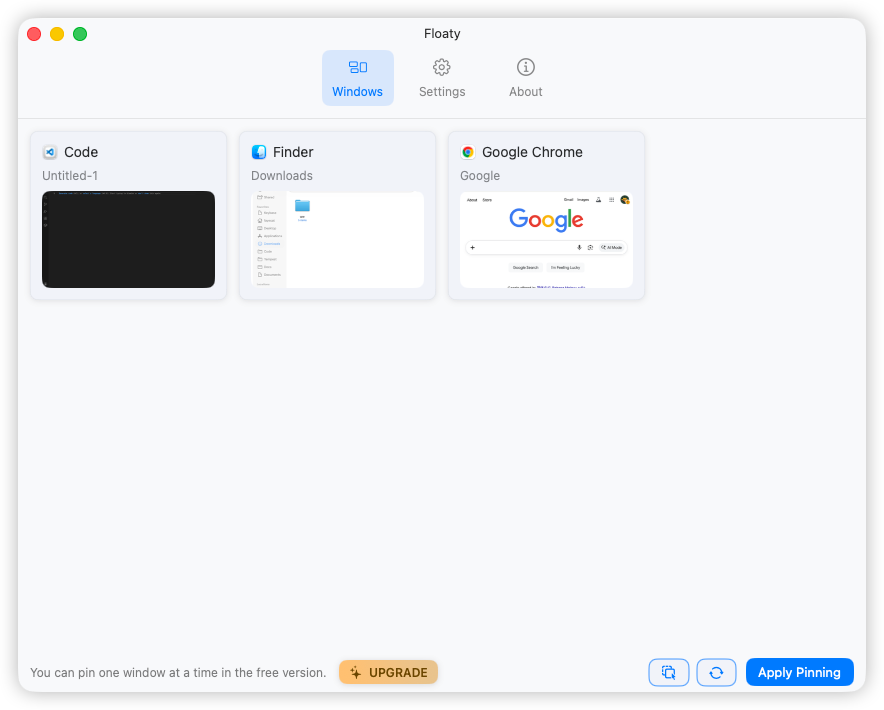
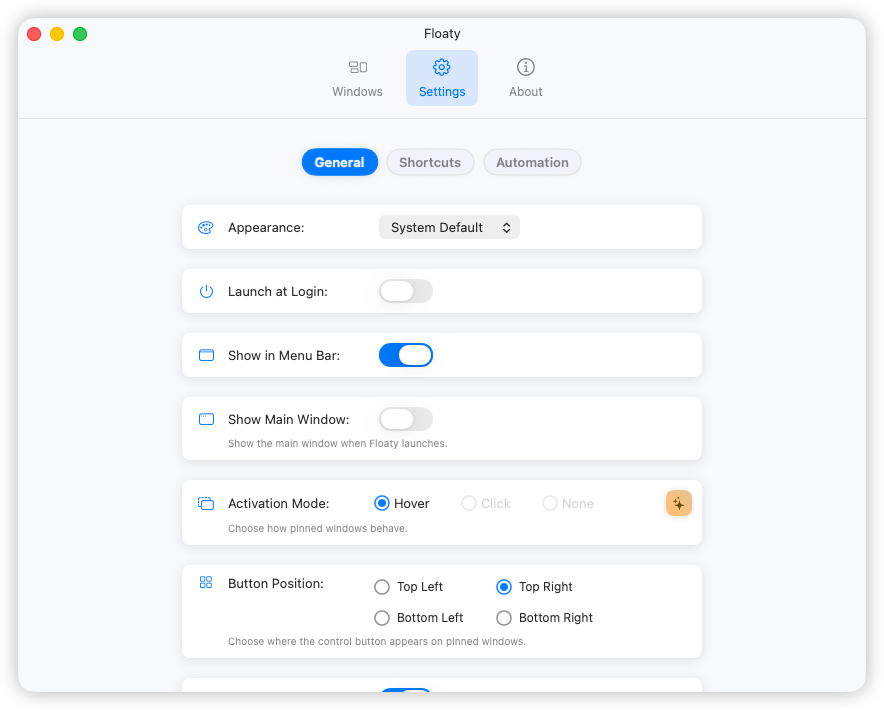
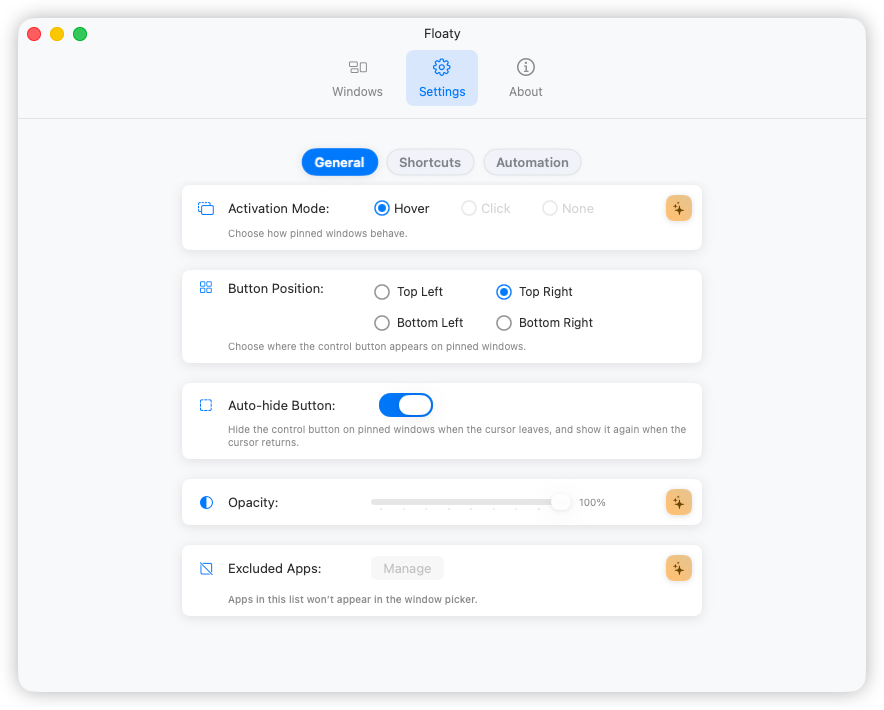
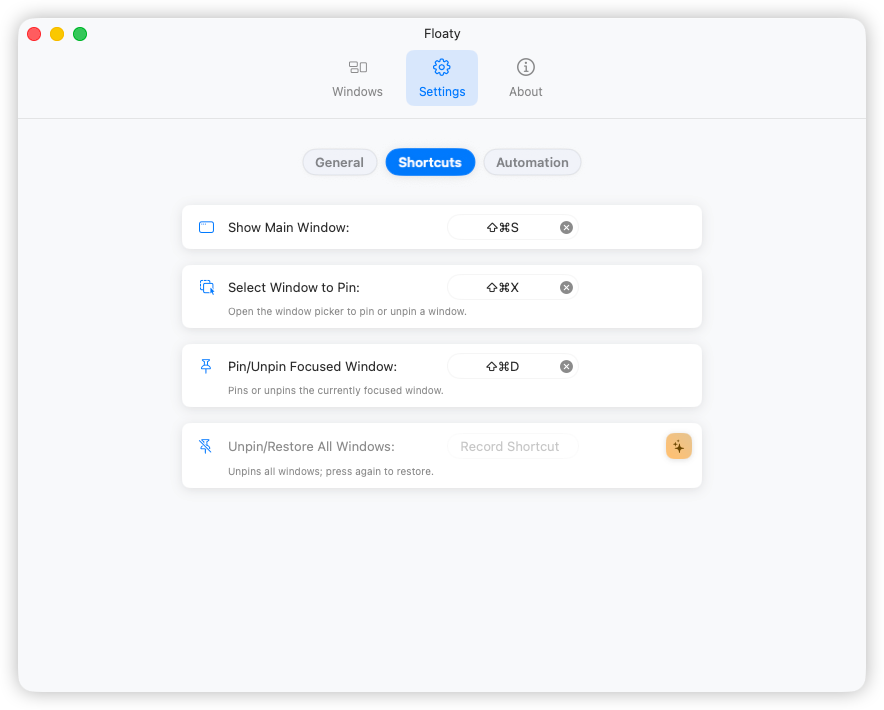
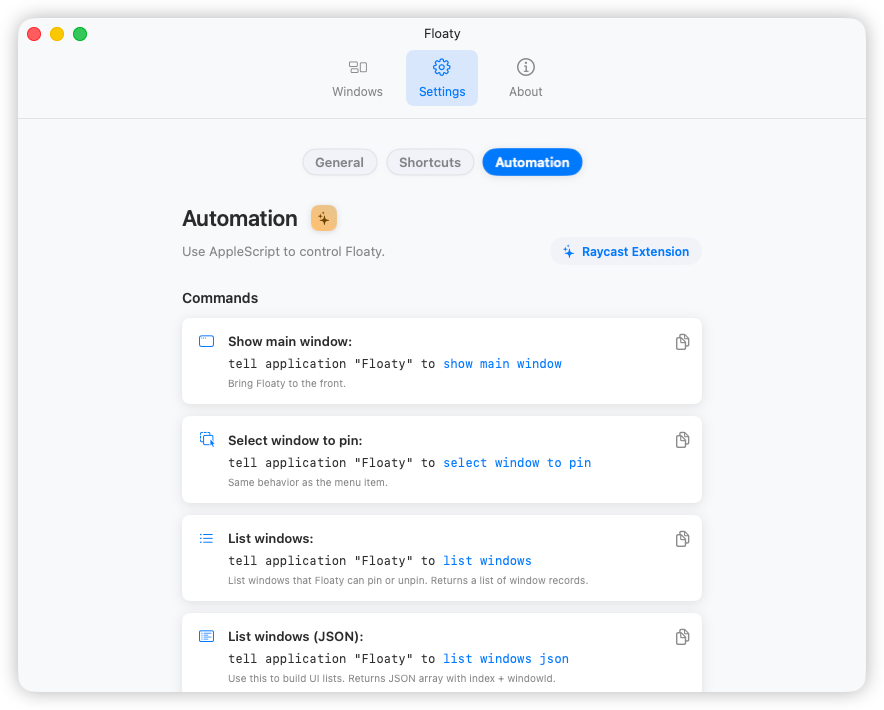
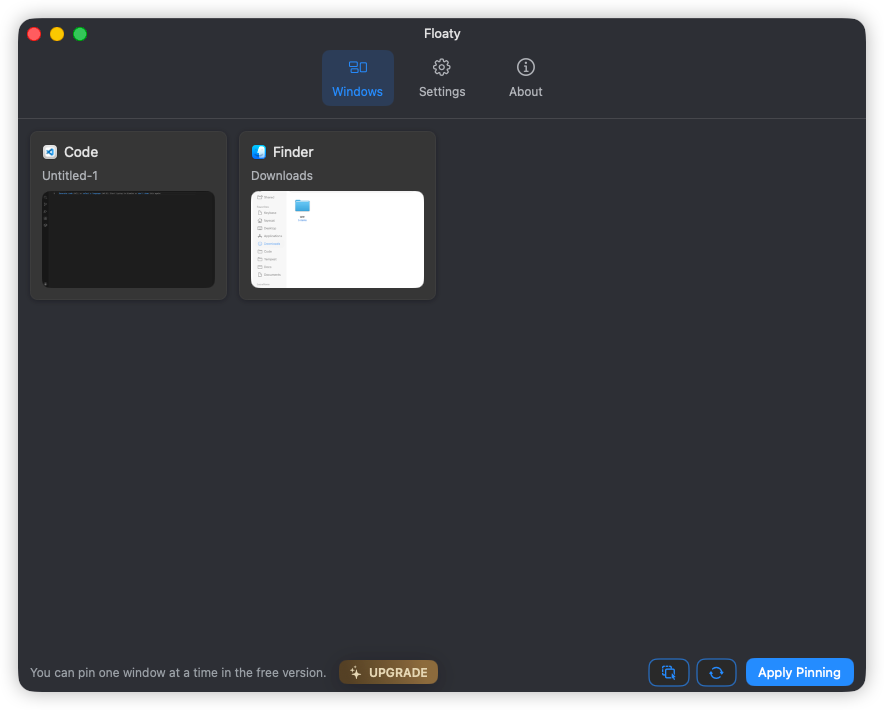
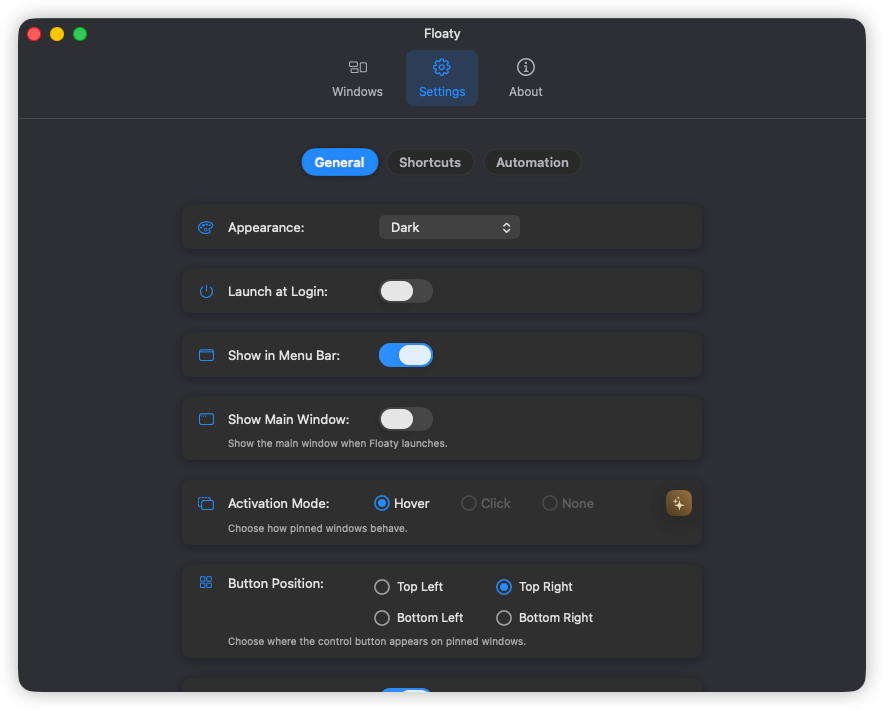
Start with the basics. Unlock more with Floaty Pro for multiple pinned windows, opacity, and automation.
Keep selected study notes, docs, or dashboards always on top — one or many — to support an effortless keep-window-on-top mac workflow.
Pin or release any window instantly with global Floaty shortcuts tuned for quick keep-on-top control.
Set per-window opacity so your floating overlays never block what matters.
Auto-unpin floating windows with timers for deep work sessions.
Toggle click-through or focus-only states instantly so mac floating window overlays keep pace with your workflow.
Floaty’s Raycast extension pins and manages floating windows from your keyboard. List, pin, show, or restore Floaty windows in seconds.
Additional productivity features and ongoing improvements.
Floaty fits naturally into real workflows — studying with video lessons, coding with reference docs, reviewing designs, or monitoring dashboards — without constantly switching windows or spaces.
Keep PDFs, notes, and video lessons visible while studying or taking notes.
Keep PDFs always on top →Keep Terminal, documentation, and reference windows visible while coding.
Keep Terminal always on top →Keep browsers, screenshots, or design references visible during reviews.
Pin browser references →Pin dashboards, logs, and monitoring tools above other windows.
Monitor dashboards →Keep scripts, notes, or guides visible while recording videos or tutorials.
Float recording notes →Use floating windows to stay focused without constantly switching spaces.
Pin any window on macOS →These guides explain how keeping windows always on top actually works on macOS—and when dedicated tools like Floaty are needed.
Step-by-step: keep Zoom, Notion, Chrome, or any window pinned on top on Mac. Works without a window manager. Free to try.
2026 guide to keeping any macOS window always on top. Compare Rectangle Pro, BetterTouchTool scripts, and Floaty to pick the right pin window workflow.
macOS has no built-in always-on-top toggle. Here are 3 reliable ways to pin any window on top — Zoom, Notion, Chrome, or any app. Takes under a minute to set up.
Floaty keeps essential windows visible. Cloaky covers private or distracting screen areas, and Remindy helps you capture quick reminders without opening a full task manager.
Need more details or have a question? Email support@floatytool.com — we usually reply within one business day.
Screen Recording powers the live preview while Accessibility grants Floaty control to pin, unpin, and manage windows. Both stay local — Floaty never transmits any screen content.
Only the basics — anonymous crash and diagnostic data that help fix bugs and improve Floaty. Nothing personal, nothing from your screen, and nothing beyond those diagnostics is ever collected. You can also run Floaty entirely offline.
Floaty runs great on macOS Tahoe (version 26), Sequoia, and Sonoma, fully supporting both Apple Silicon and Intel Macs.
Floaty is designed to stay lightweight — it runs only when needed and keeps CPU and battery use minimal, even with multiple pinned windows.
Floaty mirrors the live content from the original window. On macOS, if that original window is completely covered, the system pauses its updates to save resources. Just keep a small part of the source window visible — even a thin edge is enough to keep it live.
macOS now pauses most alerts by default whenever it detects screen mirroring, so it can look like notifications are broken. To turn them back on, go to → System Settings → Notifications, scroll to “Allow notifications when mirroring or sharing the display,” and choose “Allow Notifications” in the dropdown. You can also flip the toggle beside that option on to make sure banners and alerts continue to appear while you share your screen.
Not yet. macOS full-screen mode isolates each app in its own space, so Floaty can’t pin windows above it. Use Floaty in normal or Split View windows instead.
Floaty is built and maintained by a solo indie developer. I’m improving it continuously and always listening to feedback — feel free to reach out anytime at support@floatytool.com.